Smart Home Setup & Installation in Mid Sussex
Smart lighting, heating, blinds, and video doorbells and sensors, installed properly and backed by a network that can actually support them.
We install and configure smart home devices across Haywards Heath and the surrounding Mid Sussex area, working with Google Home, Amazon Alexa and Apple HomeKit, or whichever platform you have already chosen. A smart home is only as reliable as the network behind it, so we start there rather than bolting devices onto a router in the hallway. The result is lighting, heating, blinds and doorbells that respond the first time, not smart tech that drops out because the Wi-Fi signal never reached the room.
What’s Included
Smart home work varies a lot from property to property, so most jobs are scoped individually.
As a guide, we regularly install and configure:
If you need something that isn’t listed here, get in touch. We take on most smart home jobs on a case-by-case basis as each requirement is unique. We can usually tell you straight away whether it’s something we cover.
Ecosystems We Work With
We’re not tied to one platform. We regularly set devices up on Google Home, Amazon Alexa and Apple HomeKit, and we’re equally comfortable working with other ecosystems depending on what you already use or plan to use. Where it helps, we’ll point out how an open standard such as Matter (see Keeping Your Smart Home Secure, below) is making it easier to mix devices from different brands without being locked into one app.
Why the Network Comes First
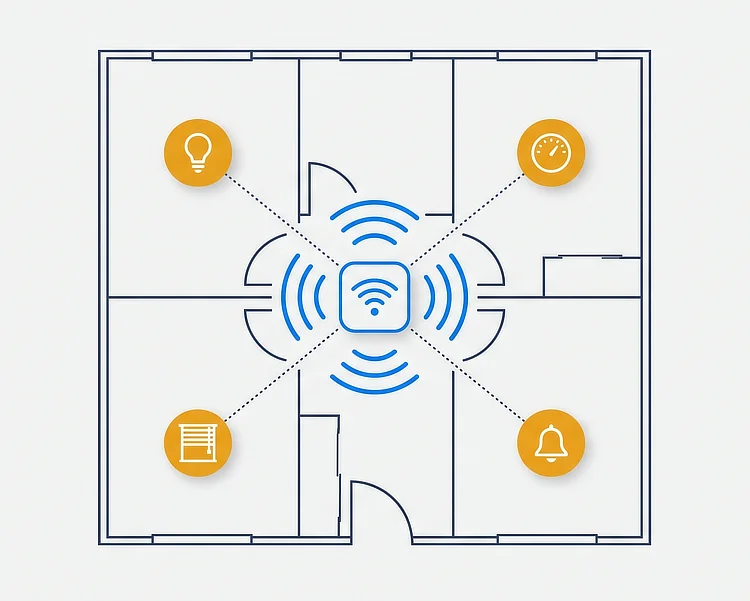
Most smart home problems we get called out to fix aren’t faulty devices; they’re network faults. A smart bulb that takes three attempts to respond, or a video doorbell that misses the delivery driver, is usually a sign of weak or overloaded Wi-Fi rather than a broken device. Before we install anything, we check your existing network coverage and cabling, and recommend the minimum changes needed to get devices working reliably. This might mean a better-positioned access point, some extra network cabling, or a small PoE upgrade for a hardwired camera or doorbell.
For a wider Wi-Fi problem across the whole property, see our Wi-Fi Access Points service.
Where wired connections are the better solution, see Network Cabling & Cat6 and PoE Installations.
If you need dedicated CCTV security cameras rather than a doorbell or sensor, see CCTV & Security.
Our Process
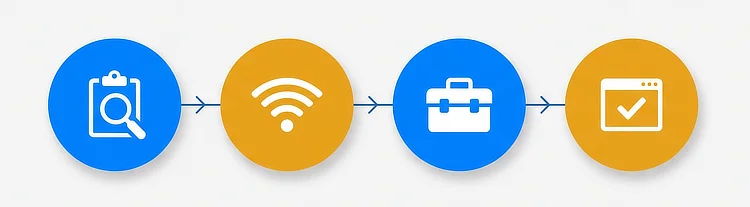
- Chat & assessment – We talk through what you want the smart home to do, and check the property’s existing Wi-Fi coverage and cabling.
- Network check (if needed) – If coverage or cabling needs improving first, we’ll say so and quote for it separately, so you’re not paying for devices that won’t perform.
- Installation – Lighting, heating, blinds, doorbells and sensors are installed and wired in cleanly, with cable runs kept tidy and out of sight where possible.
- Configuration & handover – Devices are connected to your chosen app or ecosystem. Where the job includes automation setup, we configure this before handover and show you how it works.
Why Choose OPR Network Solutions
OPR Network Solutions is run by Olly, who brings over 10 years of engineering experience across a range of disciplines to every job. We’re based in Haywards Heath and work across Mid Sussex, so you’re dealing with someone who understands the area and can get back to you quickly if anything needs adjusting after installation. Every job is finished to the same standard – tidy cable runs, clearly labelled equipment, and nothing left for you to work out on your own.
Areas We Cover
We cover Haywards Heath and all of the surrounding Mid Sussex area, including Ardingly, Burgess Hill, Cuckfield, Lindfield, Hurstpierpoint, Hassocks and East Grinstead.
Don’t worry if you’re just outside this list, as we can often still help. Get in touch and let’s see if we can help.
Keeping Your Smart Home Secure
Smart devices such as cameras, doorbells and sensors connect to your home network and, in most cases, to the internet, so it’s worth getting basic security right from day one. We set strong passwords properly during installation, remove the default ones, and make sure devices sit on a network that’s set up to support them securely.
For independent guidance on using smart devices safely day to day, see the National Cyber Security Centre’s advice on smart devices in the home.
For background on how smart home brands are increasingly able to work together, see the Connectivity Standards Alliance’s page on the Matter standard.
Frequently Asked Questions
Do you work with Google Home, Amazon Alexa or Apple HomeKit?
Can smart home devices run on my existing Wi-Fi, or will I need cabling work first?
Do you set up automations as part of the installation, or just install the devices?
Are video doorbells covered under smart home setup, or is that part of your CCTV service?
Which areas do you cover for smart home installation?
How long does a typical smart home installation take?
Ready to build a smarter home?
Get in touch for a free, no-obligation quote.
We’ll look at what you want to achieve and tell you honestly what your property needs, whether that’s a straightforward device install or some network groundwork first.